
ERP Software for Manufacturing: A Process-First Buyer's Checklist
Choosing ERP software for manufacturing starts with mapping how orders, materials and payments actually move through your unit, not with a feature list. Shortlist vendors only after you can describe your sales order to dispatch sequence in one page. Run the demo on your own data, not the vendor's, and assign an owner to every implementation phase before you sign.
You run three spreadsheets, a WhatsApp group and Tally, and somehow the business gets through the month on that. But the cracks are showing. The sales team quotes a price the shop floor can't hit. The store manager says stock is available; the plant head says it isn't. Nobody can tell you, right now, what's actually pending at dispatch.
This is usually the point where an owner starts searching for erp software for manufacturing. The instinct is to jump straight to a vendor shortlist and a feature comparison. That's the wrong order. Buying software is the last step. Understanding how your business actually works, who decides what, and where the delay really sits, comes first. We understand how your business actually works first, then we design the system.
Signs you've outgrown spreadsheets, Tally and WhatsApp
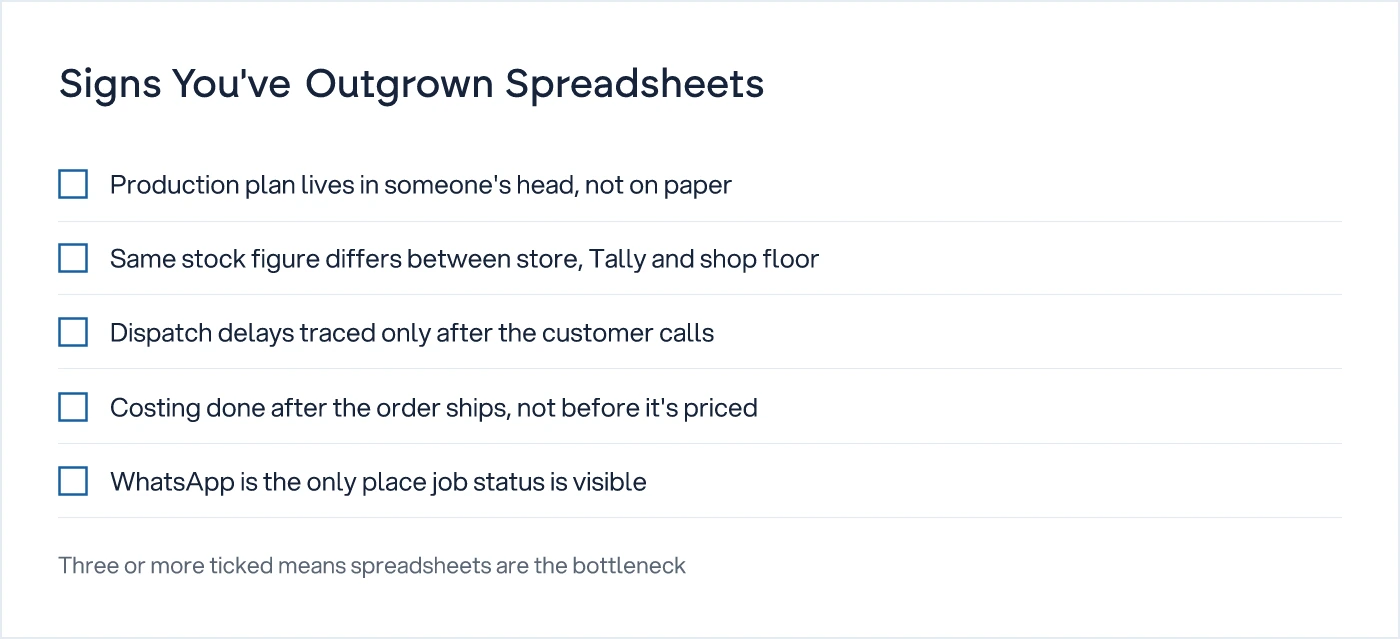
If three or more of these are true in your unit, spreadsheets have stopped scaling with you.
Stock figures told to a customer by sales and the figure in the store register rarely match. Production plans exist, but only in the plant head's head, revised by phone call whenever a machine breaks down. Job cards are written by hand and lost between the shop floor and the costing sheet at month-end. Every delay gets discovered only when a customer calls asking where the order is.
These aren't software problems by themselves. They are process problems that software has been quietly papering over. A manufacturing ERP software purchase that doesn't fix the underlying sequence just moves the same confusion onto a screen, faster.
What does ERP software for manufacturing actually do?
At its core, manufacturing management software should give you one shared, current view of an order from the moment it's booked to the moment it's dispatched and invoiced, without a phone call in between.
That sounds simple. In practice it means seven modules have to work together, not sit as separate silos each vendor sells as a tick box. Here's what each one should actually do on your floor, and where off-the-shelf tools for manufacturing typically fall short.
| Module | What it should do on the floor | Where off-the-shelf usually breaks |
|---|---|---|
| Sales orders | Capture the order with the exact spec, delivery date and price agreed, visible to production the same day | Specs get recorded as free text; production reads them differently from what sales meant |
| Bill of materials (BOM) | Hold the exact material and quantity per finished unit, including scrap allowance | Multi-level or variant BOMs (size, colour, alloy grade) aren't handled cleanly |
| Production planning | Convert orders into a machine-wise, shift-wise plan the supervisor can follow | Rigid planning logic assumes a single product line, not job-work or mixed-batch runs |
| Inventory | Show one stock number, updated at the point of issue or receipt, not at month-end | Raw material, WIP and finished goods get tracked in separate, unreconciled screens |
| Purchase | Trigger purchase orders from the plan, not from a stock-out panic | Reorder logic ignores lead time variability or vendor-wise minimum order quantities |
| Dispatch | Flag what's ready, what's pending, and why, before the transporter arrives | Dispatch status is a manual update someone forgets to make |
| Costing | Show actual cost per order, including rework and rejection, not just standard cost | Standard costing hides job-work, sub-contracting and exception costs that eat into margin |
If you want to see what happens when one of these modules is forced to work outside its design, read five signs off-the-shelf ERP won't fit your process. Costing and BOM exceptions are usually where the mismatch shows up first.
Who decides, and on what information?
Before you look at any product, you need to be able to answer who makes each decision in your business today, and what they currently use to make it.
- Who approves a sales order below standard margin, and what do they look at before saying yes?
- Who decides to run a second shift, and on what trigger: pending orders, machine breakdown, or labour availability?
- Who signs off a purchase order above a certain value, and how long does that approval usually take?
- Who decides when a job is reworked versus scrapped, and is that decision recorded anywhere?
- If the answer to any of the above is "it needs a phone call", note that down. If the answer needs a phone call, it's not a system, and no software licence fixes that by itself.
Does it match how the shop floor actually runs?
A system that doesn't match your actual production sequence will get worked around within a month, however good the demo looked.
- Can the plan handle a rush order jumping the queue, and who is allowed to make that call?
- Does it track job-work sent out to a sub-contractor and returned, with separate stock status?
- Can a supervisor update job status from the floor, or does it require a desk and a keyboard?
- Does it handle batch or lot tracking if your industry or customer requires traceability?
- Can it record a machine breakdown and its impact on the plan, or does the plan just go silent?
Will sales, purchase and dispatch talk to each other?
Most ERP failures in manufacturing aren't module failures. They're handoff failures between departments that were never designed to pass information cleanly.
- When a sales order changes quantity or date, does production planning see the update automatically?
- Does a stock shortfall at planning stage trigger a purchase requisition, or does someone have to remember?
- Can dispatch see exactly what's pending against each order, by item, not just by order number?
- Does the purchase team see vendor-wise price history before placing a repeat order?
- If a customer asks "where is my order", can anyone answer in under two minutes without calling three people?
Can it handle your exceptions, not just your standard order?
Your margin usually lives in the exceptions: the rework, the part-shipment, the rate renegotiated mid-order. A system tested only on the standard case will tell you nothing about where you actually lose money.
- Can it cost a part-dispatched order correctly, or does costing assume full quantity shipped?
- Does it handle multi-unit or multi-plant stock transfers if you operate more than one location?
- Can it record a price variance against the original quote and flag it for approval?
- Does it support your actual GST, VAT or local tax treatment for job-work and inter-unit transfers, cross-checked with your accountant or tax consultant, not the vendor's sales team?
- Will it let you export your full data, in a usable format, if you ever need to move systems?
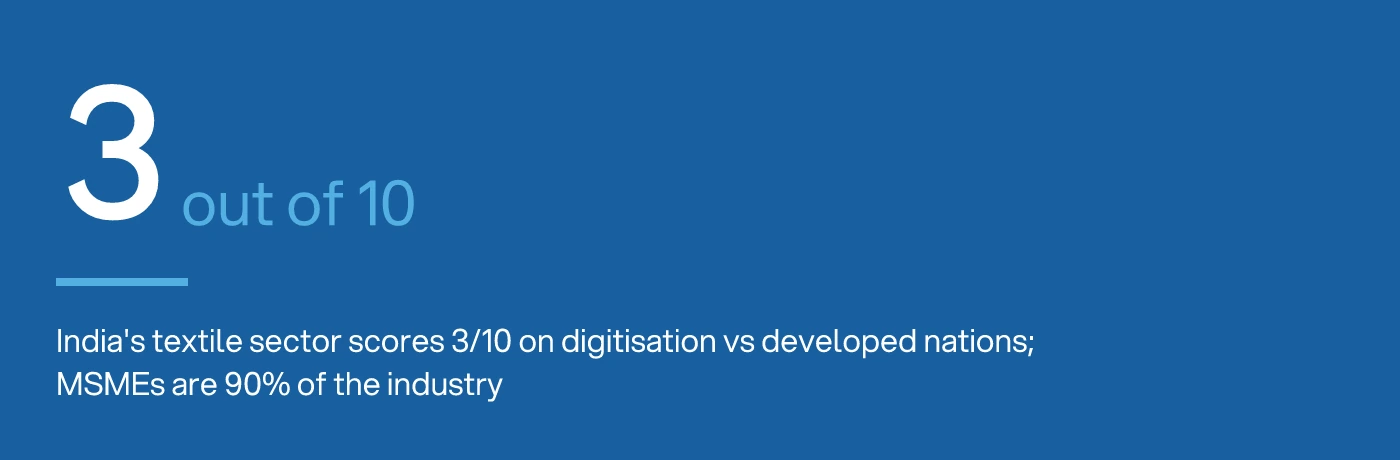
India's textile sector, where roughly 90% of the industry is MSME, still scores about three out of ten on digitisation against developed-nation benchmarks. The gap usually isn't a missing feature. It's unanswered questions like the twenty above, never asked before the purchase.
How do I run an ERP demo on my own data?
A vendor demo on their sample data will always look smooth. The only demo that tells you anything is one run on your actual order, your actual BOM and your actual exception.
Before the demo, send the vendor three real documents: a recent sales order with a specification change mid-order, a BOM with at least one variant, and a purchase order that went through a part-delivery. Ask them to configure the system live, using your numbers, not a prepared slide deck.
Watch for three things during the session. First, how many clicks it takes to find where an order is pending, right now. Second, whether the person demoing can answer your exception questions without saying "we'll customise that later". Third, how the system behaves when you deliberately enter something wrong, a negative stock figure or a date in the past, because that tells you how much it will protect your data once your own team is using it under pressure.
If the vendor can't or won't do this on your data, that's information too. For a deeper look at what to check specifically around moving historical data into a new system, see questions to ask before legacy ERP data migration.
Implementation phases: who owns each one?
Implementations fail less often because of the software and more often because no one owned a phase clearly enough to push it through.
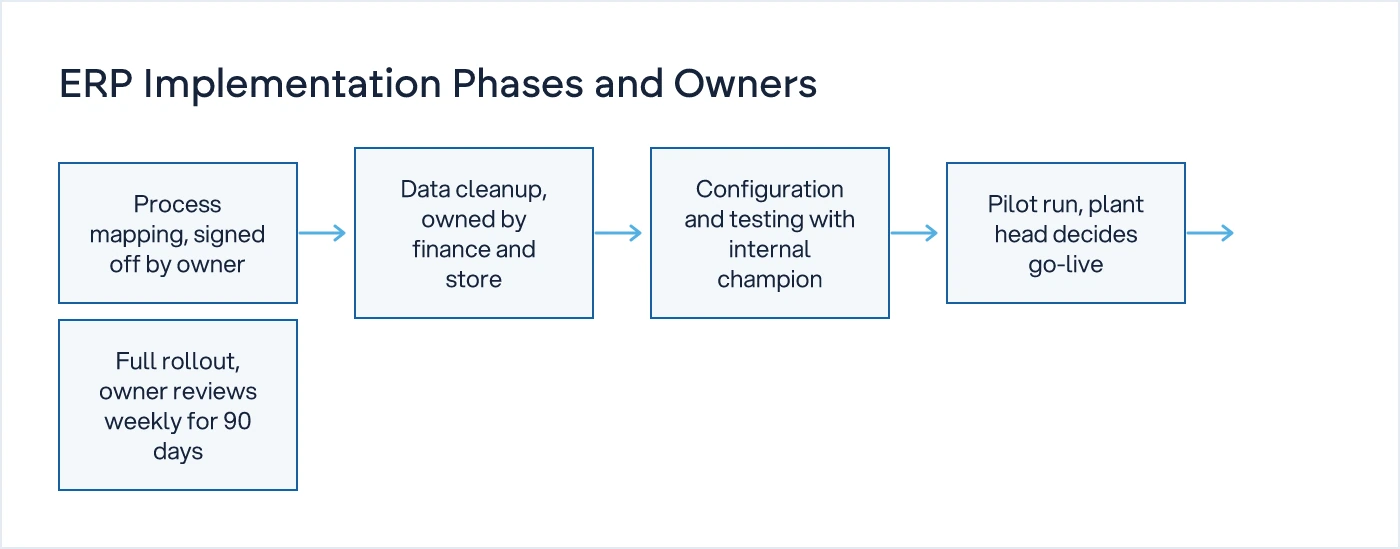
Process mapping comes first, and the owner or plant head has to sign off on it personally, because this is where the real decision sequence gets written down, not the one in the vendor's template. Data cleanup follows, owned jointly by finance and the store in-charge, since stale stock and vendor records will poison the new system if they're carried over unchecked. Configuration and testing sit with the vendor working alongside one internal champion, usually someone who already understands both the shop floor and the paperwork. The pilot, run on one line or one unit, is a go or no-go decision for the plant head, not the vendor, because they are the one who will live with it daily. Full rollout and a 90-day stabilisation period follow, with the owner reviewing weekly, because the first quarter is when old habits try to creep back in through side-channel spreadsheets.
Licence cost is typically a small fraction of the full bill. For the detail on where the rest goes, read the true cost of an ERP implementation, beyond the licence.
There is no single best erp software for manufacturing that fits every business; the right erp solutions for manufacturing depend on your order mix, your exceptions and your team's comfort with change, not on a feature count. Whether you're evaluating erp software india options or a global product sold locally in the UK or UAE, the checklist above decides the fit before any brand name does.
If you want outside eyes on your process before you commit to a vendor, a free 30-minute call is the place to start. Where the business is complex enough to need it, we also run SCAN, a paid, on-site diagnostic that maps your actual process before any software decision is made. For the broader question of when standard ERP fits and when it doesn't, our custom software development team can walk through your specific case.
Common questions
What does a manufacturing ERP do?
It gives sales, production, purchase and dispatch one shared, current view of each order, from booking to invoicing. Done well, it replaces the phone calls and WhatsApp updates used today to find out what's pending. Done badly, it just digitises the same confusion, faster and with a login screen in front of it.
How do I choose ERP for a small factory?
Start by mapping your actual sales order to dispatch sequence on paper, including who decides what. Only then shortlist vendors, and test each one against your real BOM, a part-dispatched order and a price exception, not their sample data. Fit to your exceptions matters more than the feature count.
How long does ERP implementation take?
For a small to mid-sized manufacturing unit, process mapping and data cleanup typically take four to eight weeks, configuration and pilot another four to eight, and stabilisation runs through the first 90 days of live use. Complexity in BOMs, multi-unit operations or job-work usually adds time, not the software itself.
What should I fix before buying ERP?
Fix the decision points first: who approves what, on what information, and how long that currently takes. If an approval or a stock check still needs a phone call to resolve, no software will fix that until the underlying process is redesigned, not just digitised.
Sources
- Why is the Indian Textile Industry Shy of Digitization? — Textile Excellence
- ERP for Manufacturing — Softype
- NetSuite Manufacturing ERP Software — NetSuite

Sanket Vanani
Founder & CEO
Sanket Vanani is a business strategist and entrepreneur focused on helping businesses build structured systems for sustainable growth. His work spans sales, operations, manufacturing, process improvement, and business scalability. Through his experience working closely with business owners and teams, Sanket focuses on turning founder-dependent businesses into process-driven organizations that can grow with greater clarity, consistency, and control.
Related reading
What to Ask a Vendor Before You Trust Them with Your Production Data Migration
Migration plans fail on ownership, not technology. Here are the questions a CTO should insist a legacy ERP vendor answer in writing before work starts.
The True Cost of an ERP Implementation, Beyond the Licence
Licence quotes rarely cover more than a quarter of what an ERP project ends up costing. Here is where the rest of the budget goes.
Five Signs Off-the-Shelf ERP Won't Fit Your Process
Five process exceptions, from job-work costing to multi-unit pricing, that show when ERP customisation stops working and custom software fits better.


