
What Belongs on Your First Management Dashboard
Your first management dashboard should show only the numbers tied to decisions you make every week, not everything you can measure. Start by naming three weekly decisions, who makes each one, and the single number that would change that decision. Build around those three numbers first, then add more later.
Dashboard tools have become cheap and fast to set up. That is the problem, not the solution. When it takes an afternoon to connect a data source and drag ten charts onto a screen, most owners build the wrong first dashboard because they never had to ask what it was for.
What should go on our first management dashboard?
Three numbers, each tied to a decision you make every week, each one you can act on the same day you see it. Not ten. Not thirty. Three.
Most first dashboards get built backwards. Someone asks the ERP or accounting software what it can report, and the answer is: everything. Revenue, orders, machine hours, ticket counts, headcount, inventory value, aged debtors, quality rejections. All of it goes on one screen because all of it is available. Six weeks later nobody opens it, because none of those numbers answer a question anyone is actually asking on a Monday morning.
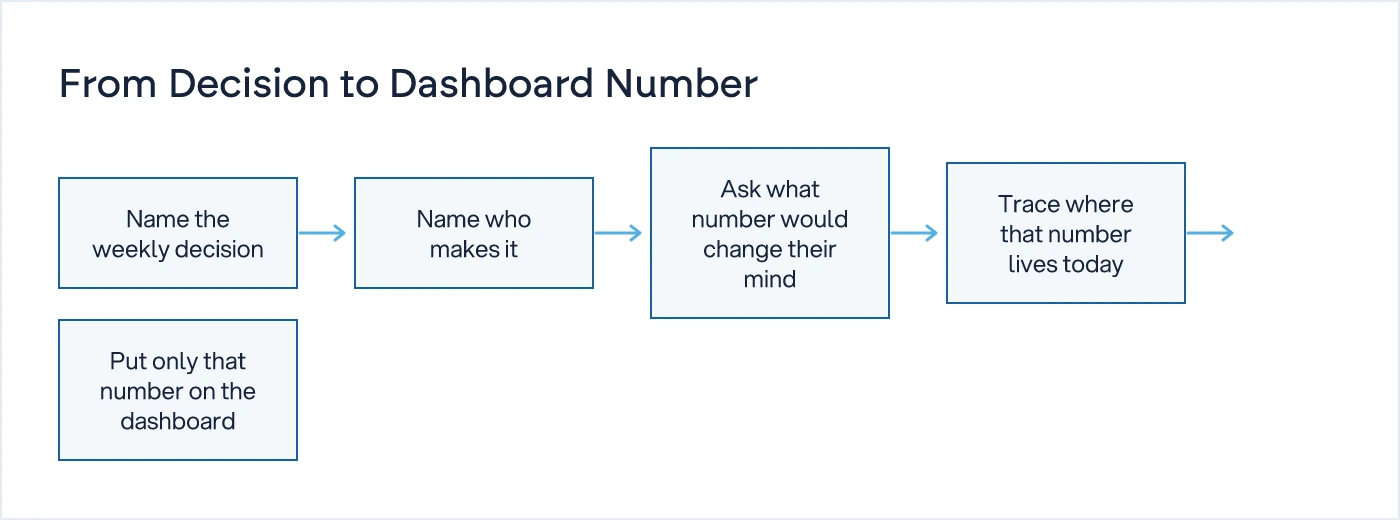
The fix is to start from the decision, not the data. Ask: what do I decide every week, and what number would change my mind?
Why does the first dashboard usually fail?
Because it is built from what can be measured, not from what needs to be decided. A dashboard with thirty metrics gets glanced at once and abandoned. A dashboard with three metrics tied to real decisions gets checked every Monday, because it is the fastest way to make the decision correctly.
Here is a worked example. A 45-person components manufacturer had a dashboard with 22 tiles: OEE, on-time delivery, sales pipeline, cash position, absenteeism, scrap rate, and more. The plant head, the owner and the finance head each looked at two or three tiles and ignored the rest. Nobody could say, without a phone call, whether to run the second shift that week.
When we sat down and listed the decisions each of them actually made weekly, the list was short. The plant head decided whether to run a second shift. The owner decided whether to release goods to a customer with an overdue balance. The purchase head decided whether to expedite a vendor. Three decisions, three people, three numbers. Everything else on the old dashboard was interesting, not actionable.
How do you find the three numbers that matter?
Ask each decision-maker one question: what number would change what you do this week? Not what number describes the business. What number changes an action.
The plant head doesn't need a chart of monthly output. He needs to know if the open order backlog exceeds this week's standard capacity, because that single comparison tells him whether to call in the second shift. The owner doesn't need a full aged-debtor report. He needs to know which customers are overdue past the credit terms he set, because that decides whether goods go out the gate. The purchase head doesn't need every PO status. He needs the count of POs overdue against their promised date, because that decides who gets a call today.
This is the same discipline used in The First Five SOPs Every Growing Business Should Document: start with the process that stalls when the decision-maker is unreachable. The dashboard is the visible half of that same question. If the SOP names who approves a discount, the dashboard shows the number that tells them whether to approve it.
What does a decision-first dashboard look like?
Here is what it looks like in practice, using the same manufacturer.
| Weekly decision | Who decides | Number that answers it | Where it lives today |
|---|---|---|---|
| Run the second shift or not | Plant head | Open order backlog vs. standard weekly capacity | Production planning sheet |
| Release goods to an overdue customer | Owner / Finance | Receivables overdue beyond agreed credit terms | Accounts ledger |
| Chase a vendor for late delivery | Purchase head | POs overdue against promised delivery date | Purchase register |
Notice what is missing from this table: revenue, margin, headcount, machine utilisation as a standalone figure. Those are real numbers and they matter somewhere, but not on the first dashboard, because no single weekly decision hinges on them the way it hinges on the three above. They belong on a second or third dashboard, once the first one is trusted and used.
The other thing to notice: each number already exists somewhere in the business, usually in a spreadsheet, a ledger, or someone's head. The dashboard's job is not to create new data. It is to surface the number that is already there, automatically, so the decision-maker doesn't have to ask for it.
If the answer needs a phone call, it's not a system. That line applies as much to a dashboard as it does to an approval process. A dashboard tile that says "ask production for the latest number" is not a dashboard. It is a reminder to make a phone call, dressed up as software.
What should you leave off the first dashboard?
Anything that describes the business without pointing to a decision. That includes most vanity metrics, most monthly summaries, and most numbers that exist because a tool reports them by default.
A related discipline is Shift Handover: What Should Actually Be Written Down, which asks a similar question at the level of a single shift: what is pending, what could go wrong, and what needs a decision before the next check-in. A first dashboard is the same question asked at the level of a week instead of a shift, and at the level of the owner instead of the supervisor.
Resist the urge to add a fourth or fifth number in week one because it seems easy to include. Every extra tile dilutes attention from the three that matter. Add more only after the first three have been checked, trusted and acted on for a few weeks running.
How often should the dashboard change?
It should change when the decisions change, not on a fixed schedule. A dashboard built around this quarter's decisions will be wrong once the business moves past that problem. If the second-shift question stops being live because you have added permanent capacity, that tile should come off and a new decision should take its place.
This is also why dashboards built purely from what a reporting tool can show tend to go stale. The tool doesn't know your decisions changed. Only the owner does. Review the dashboard every quarter with one question: are these still the three decisions I'm making every week? If not, replace the tile, don't just add another one beside it.
A dashboard built this way is not a reporting exercise. It is the visible layer of how the business is actually run, which is the same territory covered on our Business Systems, SOPs and Visibility hub. If you are rebuilding how decisions get made and tracked across the business, not just what appears on one screen, that is the work our digital transformation service does before any software gets written. We understand how your business actually works first, then we design the system.
What to do next
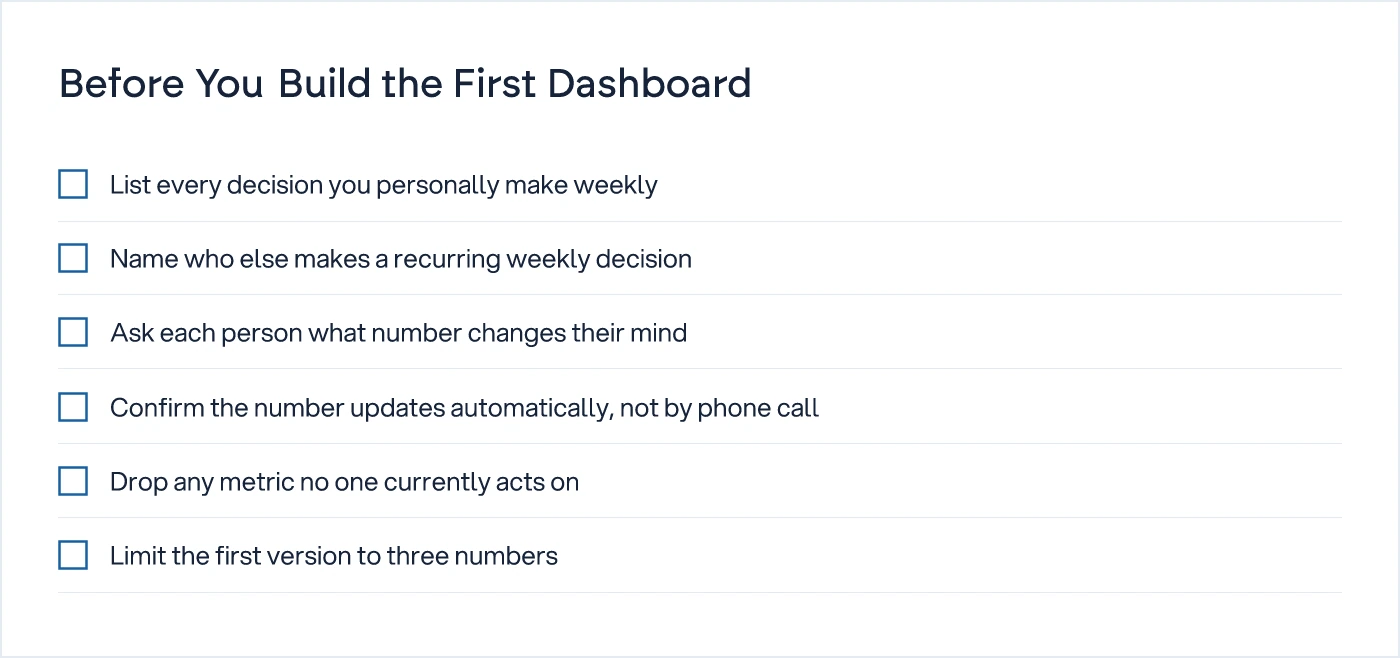
Before you open a dashboard tool, take fifteen minutes and write down three things: the decisions you personally made last week, who else in the business made a recurring weekly decision, and what number would have made each decision faster or more correct. Build the dashboard from that list. Add the rest later, if at all.
Common questions
How many metrics should be on a first management dashboard?
Three is the right number to start with. Each one should be tied to a decision someone makes weekly and can act on the same day they see it. Dashboards with ten or more tiles from day one usually get built because the data was available, not because anyone needed it, and they get abandoned within weeks.
Should the first dashboard include financial numbers like revenue or margin?
Only if a weekly decision depends on them directly. Revenue and margin are usually monthly or quarterly numbers reviewed for planning, not weekly operational decisions. Overdue receivables tied to a credit-release decision belongs on the first dashboard. A revenue trend chart usually belongs on a second one, built once the first is trusted.
Who should decide what goes on the dashboard, the owner or IT?
The owner and the other decision-makers, not IT and not the tool vendor. IT can build it once the decisions and numbers are named. If IT or a software team chooses the metrics based on what the ERP can export, you get a dashboard of available data, not a dashboard of decisions.
What dashboard tool should we use to start?
The tool matters far less than the metric choice. A shared spreadsheet updated automatically from source data can work for the first version. Move to a proper BI tool once you know which three numbers earn a permanent place, rather than building an elaborate tool around metrics you will replace in a month.
How often should we review and change the first dashboard?
Review it every quarter, or sooner if the underlying decision changes. If the decision a tile was built around stops being live, for example because you added permanent shift capacity, retire that tile and replace it with the next decision that needs a number, rather than letting the dashboard grow indefinitely.
Sources

Sanket Vanani
Founder & CEO
Sanket Vanani is a business strategist and entrepreneur focused on helping businesses build structured systems for sustainable growth. His work spans sales, operations, manufacturing, process improvement, and business scalability. Through his experience working closely with business owners and teams, Sanket focuses on turning founder-dependent businesses into process-driven organizations that can grow with greater clarity, consistency, and control.
Related reading
Shift Handover: What Should Actually Be Written Down
A task list tells the next shift what happened. It won't tell them what to do. Here's what a handover report actually needs to say.

The First Five SOPs Every Growing Business Should Write
Owners who try to document every process at once give up. Start with the one that stalls when you're unreachable, then follow this five-SOP sequence.


